This Guidance is only applicable to ICC.
One of the many notifications ICC users will receive is from the Agendas Worksheet. Entries in this worksheet will go through a workflow. Each step in the workflow will cause an email to be sent to the targeted users.
ICC would sometimes report the intended users or teams not receiving those emails. These emails are different from the in-application notification.
We will need to determine whether this was intended according to the workflow, or is a bug that needs further investigations.
First, head to the Agendas worksheet of the Case Project.
Find the entry that ICC is concerned with. The specific workflow for the agenda will need to be identified.
This can be done by clicking on the agenda, in the actions tab, "Active Workflow" field.
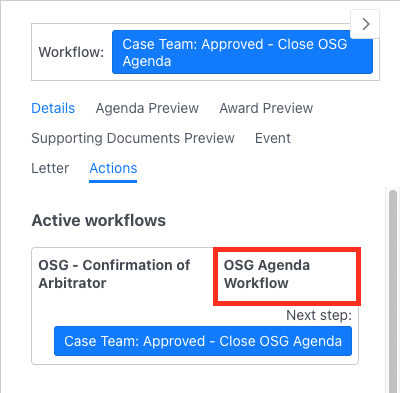
Now, the exact step of the workflow where the entry is currently on needs to be identified.
Identify the step indicated in the button of the "Active workflow" field here. In this case, it's the "Case Team: Approved - Close OSG Agenda".
From here, head to the Project button, Workflow builder:
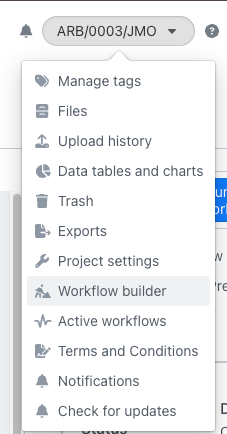
Important: Do not make any changes or edits to anything here. The page here will now show all workflows of the project.
Identify the specific workflow used for the entry, and find the exact step in the workflow is currently on.
Head to the Workflow builder, find and click on the workflow that was used, then find the workflow step identified earlier (if it's in a dropdown, click on the dropdown trigger itself, not on the dropdown listed items).
In this case, OSG Agenda Workflow > Case Team: Approved - Close OSG Agenda
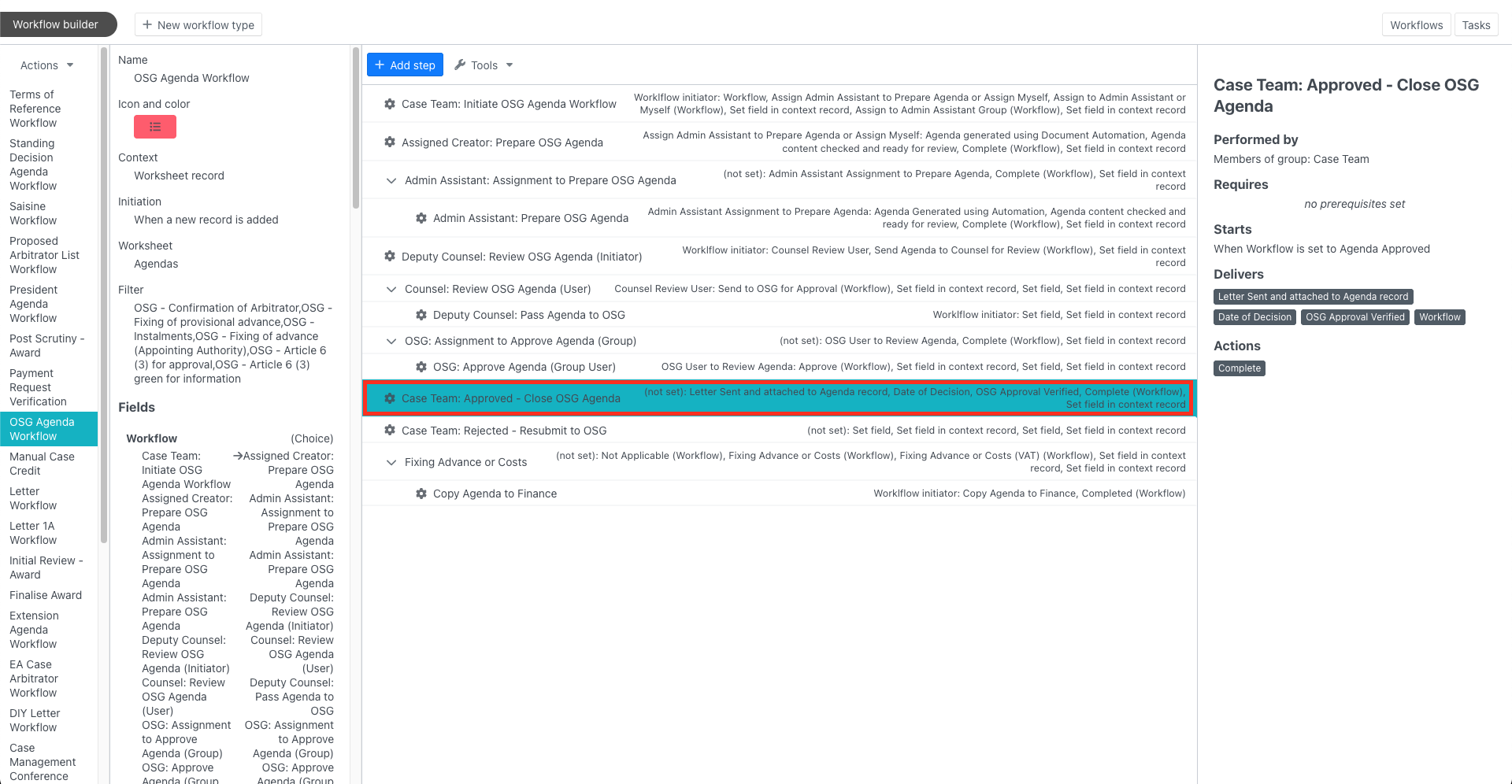
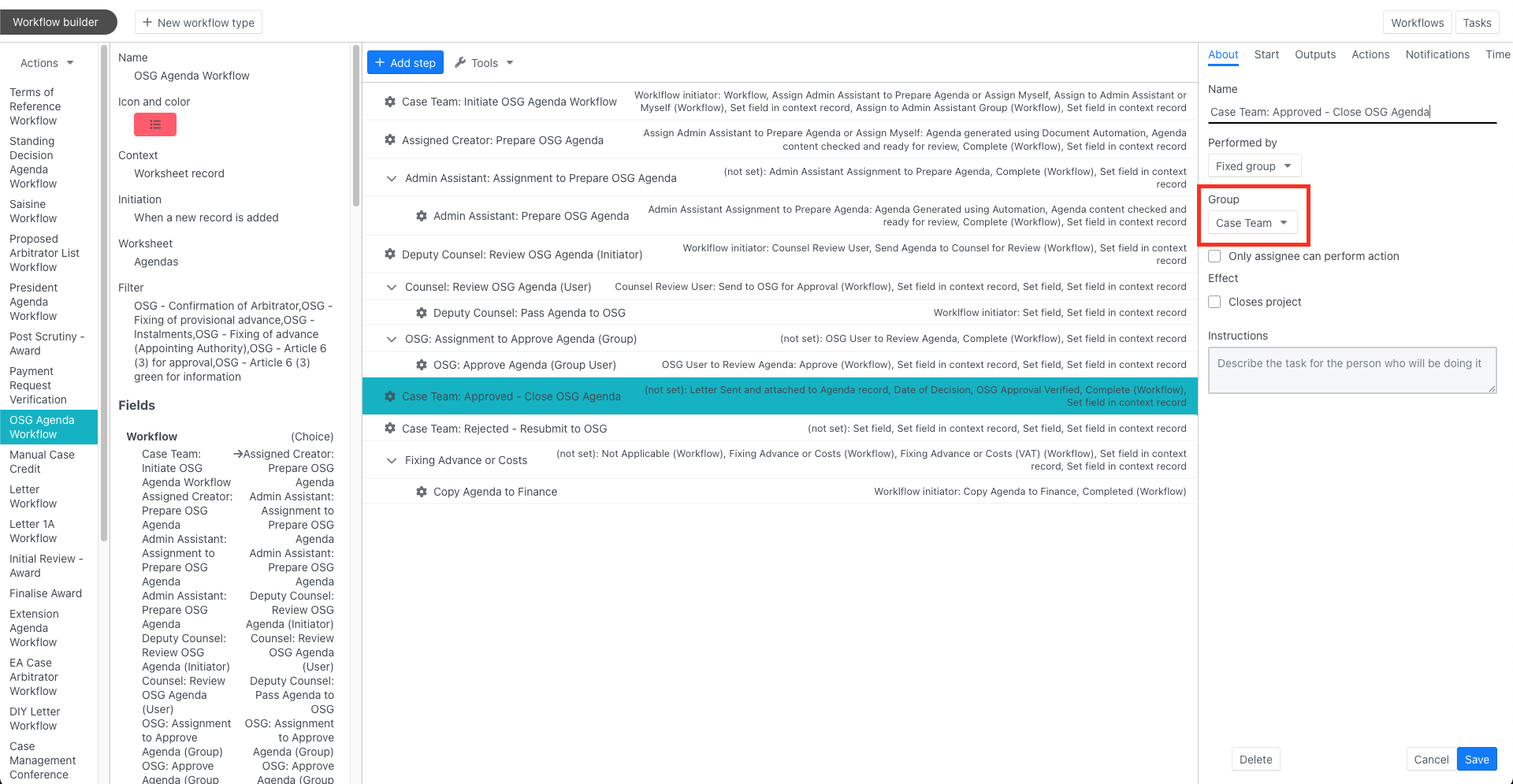
The details of the workflow step will be shown in a container on the right (similar to document preview container). Click within the preview container, configurations of the workflow step will be shown.
Look for the Group field. This will be the group that will receive the notification. Check with ICC to determine if users in that group have received the email.
Need Help?
See appropriate Slack Channel: #hypercare-icc
Was this article helpful?
That’s Great!
Thank you for your feedback
Sorry! We couldn't be helpful
Thank you for your feedback
Feedback sent
We appreciate your effort and will try to fix the article