Short Description
Uploads are stuck where the Upload Manager shows “Activated” and files remain in “Done Initial Upload” with no further progress.
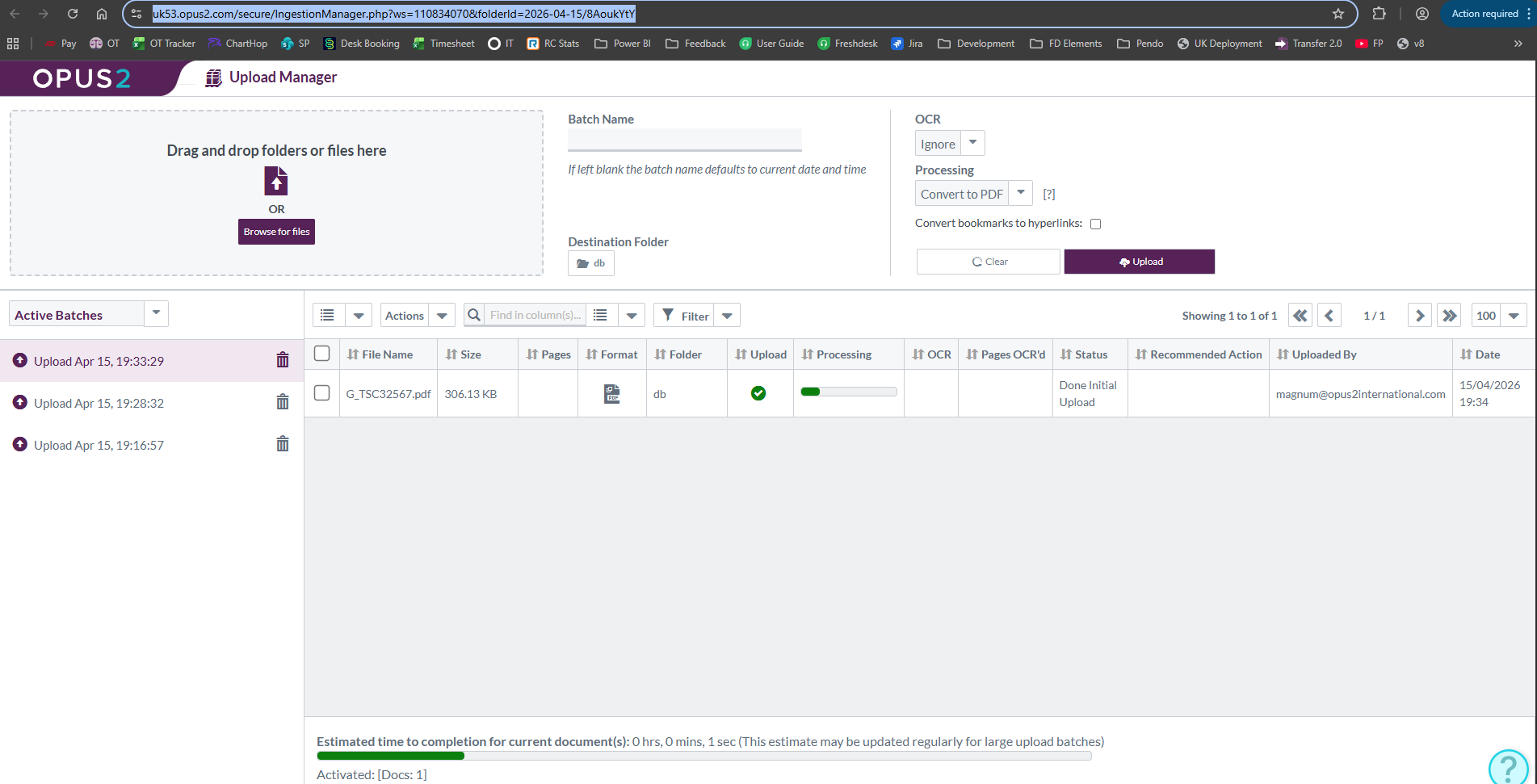
Explanation
This issue occurs when the uploader queue becomes blocked on the backend, preventing further ingestion processing after the initial upload completes.
The queue state is controlled via a backend flag file ({installname}_uploaderQueueRunning.txt). If this file contains an invalid state (e.g. empty or 3), the upload processor will not continue processing items in the queue.
Resetting this value and restarting the PHP service allows the upload queue to resume normal operation.
Access Required
- V7 Infrastructure SSH Access
- V7 AWS Account SSM Access
- Sudo access on the target server
Steps with Examples
1. Confirm install name
- Identify the install (typically
secure, but confirm per environment). This is within the URL provided by the end user.
https://example.opus2.com/secure/IngestionManager.php?ws=110834070&folderId=2026-04-15/8AoukYtY
2. Navigate to uploader queue location
cd /mnt/data/private/
3. Check uploader queue state file
cat secure_uploaderQueueRunning.txt
Expected behavior:
- Valid values should allow processing (typically
0or incrementing values)
Problem indicators:
- File is empty
- Value is
3
4. Reset queue state
If the value is invalid, reset it:
echo 0 > secure_uploaderQueueRunning.txt
5. Restart PHP service
sudo systemctl restart php-fpm
(Adjust service name if environment differs, e.g. php8.x-fpm)
6. Monitor queue movement
Use watch to confirm the queue is progressing:
watch -n 5 cat secure_uploaderQueueRunning.txt
Expected outcome:
- Value should increment over time → indicates uploads are being processed
7. Validate on front end
- Navigate to Upload Manager
- Confirm uploads move beyond “Done Initial Upload”
- Verify files progress through ingestion stages
8. If no progress
Escalate to Engineering with:
- Server name / environment
- Timestamp of intervention
- Current value of
uploaderQueueRunning.txt - Confirmation PHP restart completed
- Example affected upload(s)
Examples
- Before fix:
secure_uploaderQueueRunning.txt = 3→ uploads stalled - After fix:
Value increments (0 → 1 → 2...) → uploads resume processing
If this issue occurs repeatedly on the same environment, raise a problem ticket for root cause analysis—this typically indicates queue handling or worker lifecycle instability rather than a one-off failure.
Was this article helpful?
That’s Great!
Thank you for your feedback
Sorry! We couldn't be helpful
Thank you for your feedback
Feedback sent
We appreciate your effort and will try to fix the article